Top 6 Sticker Design Software for Print Businesses in 2025
 Abhishek Agarwal
Blog article content
Imagine a world where customers effortlessly design eye-catching stickers, all within your print shop’s software. User-friendliness becomes your growth partner. A seamless design experience translates to happy customers, repeat business, and a thriving sticker printing sector. But which software unlocks this potential?
The sticker printing market has seen significant growth, with the global market expected to reach $42.89 billion by 2026, reflecting a compound annual growth rate (CAGR) of 5.2% from 2021. For print business owners, choosing the right sticker design software can mean the difference between streamlined operations and frequent bottlenecks.
Many print businesses also look for tools that go beyond design and help manage orders and production, which is where web-to-print platforms come in.
Top 6 Sticker Design Software for Print Businesses (With Pros and Cons)
Having user-friendly sticker designing software is crucial. With the right software, print shops can efficiently create high-quality, custom stickers that meet clients’ specifications. Lets See:
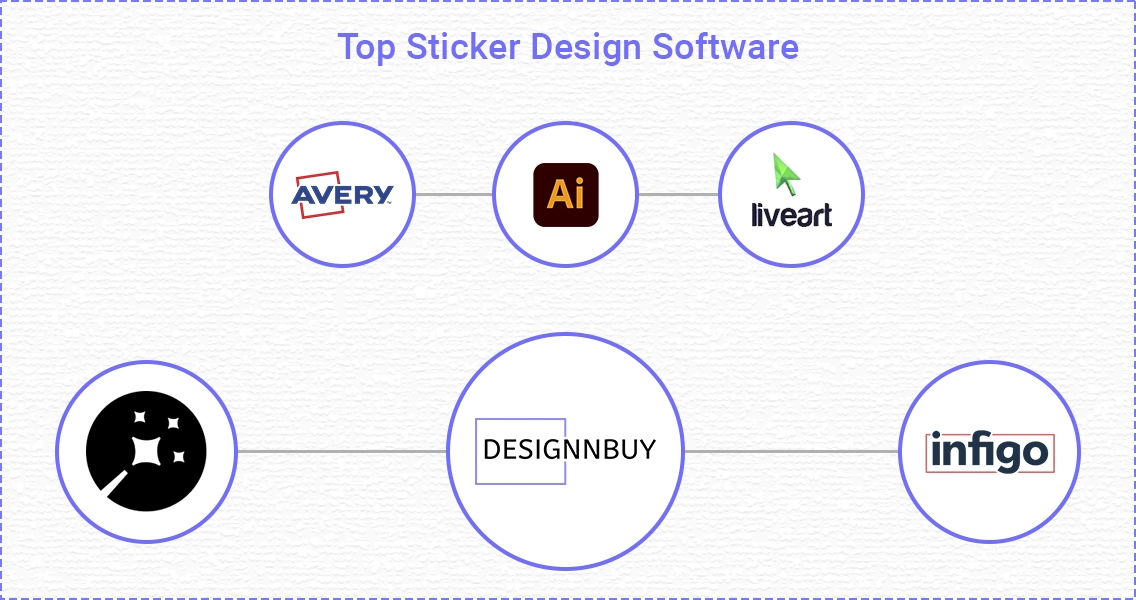 1. DesignNBuy
DesignNBuy stands out as the premier choice for sticker design software, offering a comprehensive suite of features tailored for print shops. Here’s an in-depth look at what makes DesignNBuy the best option:
Key Features of DesignNBuy web to print sticker design software:
Customizable Templates: DesignNBuy provides an extensive library of customizable templates, making it easy for users to create unique sticker designs.
Web to Print Integration: Seamlessly integrates with web to print systems, allowing customers to design and order stickers directly from your online store.
Real-Time 3D Preview: Offers real-time 3D previews of designs, enabling customers to visualize their stickers before placing an order.
Variable Data Printing (VDP): Supports VDP, allowing for the printing of stickers with unique data for each piece, ideal for personalized products.
Multi-Device Compatibility: Accessible on various devices, including desktops, tablets, and smartphones, providing flexibility for users.
User-Friendly Interface: Intuitive and easy-to-navigate interface that simplifies the design process for both novice and experienced users.
Die-Cut Options: Supports die-cut designs, enabling the creation of custom-shaped stickers.
Robust Admin Panel: Features a powerful admin panel for managing designs, templates, orders, and customer data efficiently.
Customer Support: Provides exceptional customer support with timely responses and helpful assistance.
Scalability: Highly scalable, catering to the needs of small print shops to large-scale operations.
2. Adobe Illustrator
Adobe Illustrator is a leading vector graphics software used by professionals for its advanced design capabilities and integration with Adobe Creative Cloud.
Pros:
Industry-standard design software
Powerful vector graphics tools
Extensive tutorial resources
Integration with other Adobe Creative Cloud apps
Cons:
Steep learning curve
Subscription-based pricing
Adobe illustrator Pricing: All Apps Plan: $54.99 per month
3. Avery Design and Print
Avery Design and Print is an accessible, user-friendly tool for creating labels and stickers, ideal for small businesses and home users using Avery products.
Pros:
User-friendly interface
Free to use
Ideal for small businesses and home use
Cons:
Limited advanced design features
Primarily supports Avery products
Avery Pricing: Starts from 12 euros a month
4. LiveArtDesigner
LiveArtDesigner specializes in custom sticker design with a focus on user-friendly tools and real-time previews, catering to diverse printing needs.
Pros:
Specialized for custom sticker design
Real-time 3D previews
User-friendly interface
Supports various print outputs
Cons:
Customization options can be limited
May require integration with existing systems
LiveArtDesigner Pricing: Starts from $1,270.00 one-time
5. Antigro Designer
Antigro Designer offers a straightforward, web-based sticker design tool, perfect for small businesses and individuals seeking an easy-to-use solution.
Pros:
Simple and efficient sticker builder
Focused on ease of use
Web-based solution
Cons:
Limited feature set compared to more robust tools
Best for small-scale operations
Antigro Designer Pricing: Basic Plan: $15 per month
6. Infigo
Infigo delivers scalable web to print solutions for label printing companies, providing advanced features to manage complex workflows and enhance production efficiency.
Pros:
Powerful web to print solutions
Supports label printing companies
Flexible and scalable
Advanced customization options
Cons:
Higher cost for advanced features
Requires technical expertise for setup
Infigo Pricing: Starting from 1000$ per month
How to Choose the Right Sticker Design Software: Key Considerations
Selecting the sticker label design software involves evaluating several critical factors to ensure it meets your business needs and enhances your workflow:
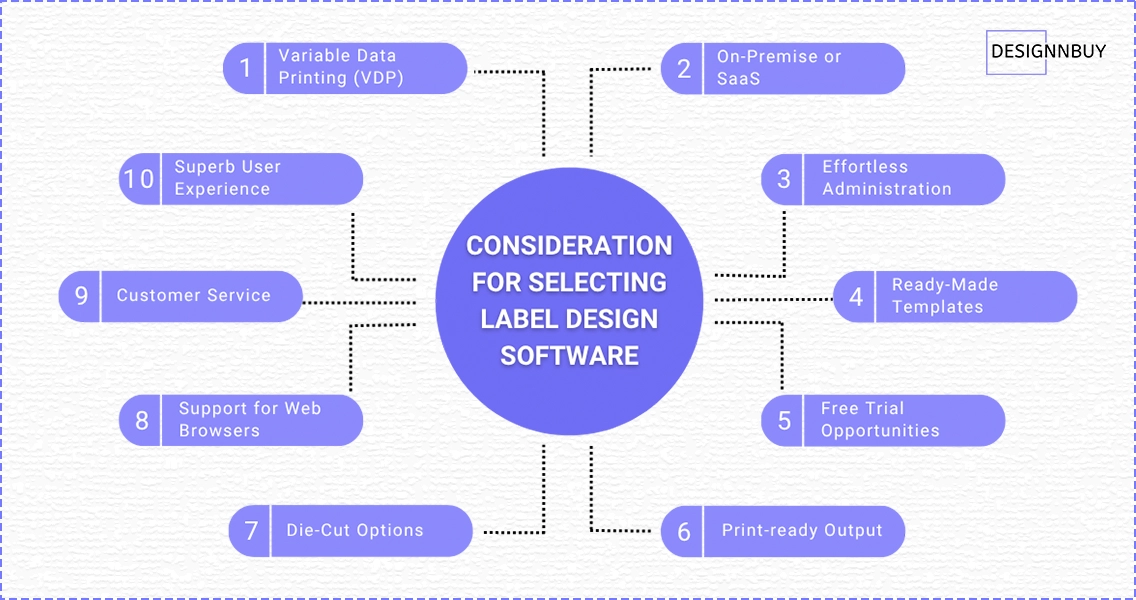
With or Without Variable Data Printing (VDP): Ensure the software supports VDP if you need to print stickers with unique data for each piece.
On-Premise or SaaS: Decide whether you prefer an on-premise solution for greater control or a SaaS model for ease of use and lower upfront costs.
Superb User Experience: Look for software with an intuitive interface and easy navigation.
Effortless Administration: Choose a tool that simplifies administrative tasks, such as managing templates and user accounts.
Timely and Helpful Customer Service: Reliable customer support is crucial for troubleshooting and getting the most out of the software.
User-Friendly Template Designs: Templates can save time and ensure consistency across your products.
Support for Major Web Browsers and Versions: Ensure compatibility with commonly used web browsers to avoid accessibility issues.
Die-Cut Options: If you need custom-shaped stickers, make sure the software supports die-cut designs.
Print Production Output: Consider the software’s ability to integrate with your print production workflow.
Free Trial Opportunities: Take advantage of free trials to test the software before committing.
The Takeaway
Selecting the right sticker design software is critical for print shops aiming to enhance their service offerings and operational efficiency. DesignNBuy emerges as the best choice, providing a robust and comprehensive solution that caters to a wide range of needs.
By carefully considering the factors outlined, you can choose the software that best fits your business needs, ensuring high-quality, custom stickers that delight your customers.
Stay Tuned!
Don’t miss our newest content. We’re thrilled to continue providing you with the latest and greatest on our blog. Stay tuned for more updates and enjoy exploring our web to print solutions!
FAQs
This blog post was last updated in June 2025.
Abhishek Agarwal
Co-founder/CMO, DesignNBuy
Abhishek Agarwal (Co-founder/CMO, DesignNBuy) has 15+ years of IT & web-to-print experience. He specializes in sales, marketing, and strategic business growth, delivering innovative solutions to global printers and mentoring teams.
All Posts
Trusted by 2000+ Print Businesses
Ready to See It in Action?
Explore our print shop platform at your convenience. Request a demo URL to experience the storefront, design tool, pricing, and much more.