DesignO 2.4 Offering On-Demand 3D Previews for Photobooks and Custom Books
 Abhishek Agarwal
Blog article content
Update: We just launched DesignO 2.5, and it’s a big step forward. It’s now easier to work together, review changes, and customize products in 3D. If you want a quicker and smoother workflow, this update is worth checking out. See what’s new in DesignO 2.5.
DesignO 2.4 streamlines the entire book printing and publishing workflow into one integrated digital experience. It combines online designing, real-time 3D previews, seamless ordering, and production management in a single platform.
This holistic approach removes long-standing friction points from initial design through final delivery enabling faster turnaround, fewer errors, and better customer experiences.
Key Market Applications
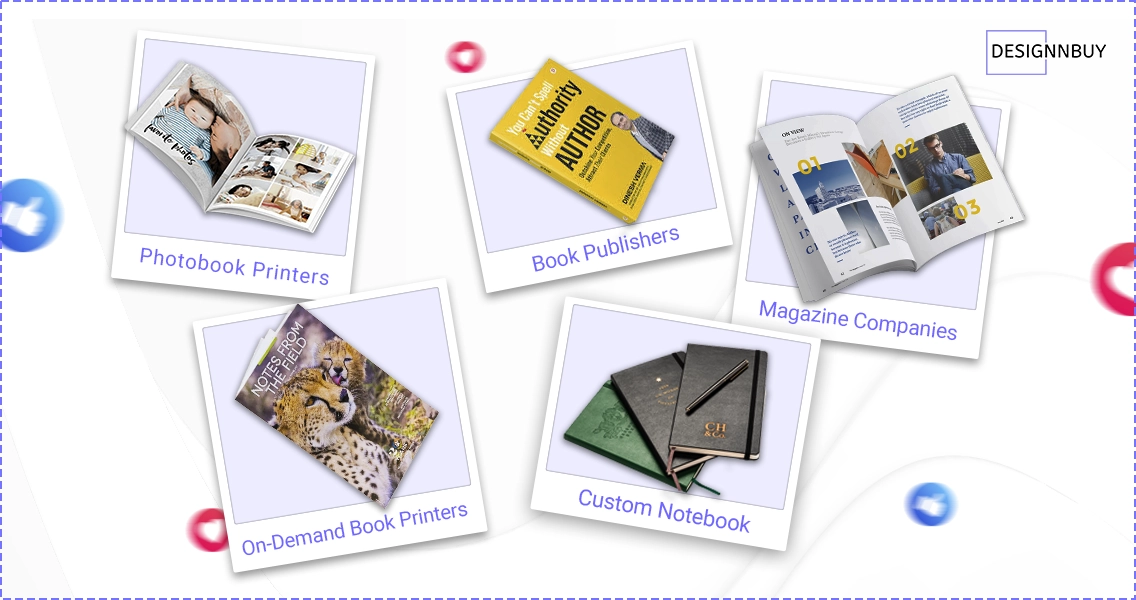
Photobook Printers: Custom photo albums, wedding books, and personal memory collections
Book Publishers: Traditional and self-publishing operations of all sizes
Magazine Companies: Periodic publications and special editions
On-Demand Book Printers: Print-on-demand services for authors and small publishers
Custom Notebook and Journal Companies: Personalized stationery and branded corporate materials
A Complete Digital Ecosystem for Custom Book Printing and Publishing Businesses
DesignO 2.4 isn’t just an upgrade but it’s a powerful shift in how custom books are designed, priced, and produced. It brings together 3D previews, intelligent automation, and seamless personalization into one connected workflow. Here’s a closer look at the features that help you print smarter, deliver faster, and grow stronger.
Revolutionary 360° 3D Preview Technology
One of DesignO 2.4’s most impressive innovations is its parametric 360-degree 3D preview system, offering photorealistic representations of the final product from every angle before production begins.
Dynamic Cover and Binding Visualization
Cover Type Differentiation: Softcover books display flexibility and texture, while hardcover previews highlight a rigid, premium appearance
Binding Accuracy: Lay-flat bindings showcase seamless flow across pages; hardcover options reveal traditional spine structures
Spine Preview: Customers can view spine design from various angles, ensuring proper alignment and balanced aesthetics
Advanced Spine Configuration Management
Sophisticated spine logic accommodates various printing methods and product types.
Flexible Formula Configuration:
Page Range-Based Calculations: Define fixed spine sizes for specific page ranges (e.g., 1–10 pages = X mm, 11–20 pages = Y mm)
Page Thickness Calculations: The system calculates spine width by multiplying the number of pages with defined cover and page thickness values
Comprehensive Pricing Architecture
Fixed Pricing Model:
Define fully configured products (cover type, paper type, finish, number of pages) and set a fixed price ideal for standard offerings.
Parametric Pricing Model:
Let customers personalize specifications with dynamic pricing that adjusts in real time:
Auto-calculated prices based on selections
Support for variables like page count, binding, paper, and finish
Transparent, responsive pricing that builds trust and drives upgrades
Enhanced Personalization Experience
Spine Editing Configuration:
Enable or disable spine editing
Decide whether the spine can be edited independently or alongside the front cover
Margin Management:
Define safe, cut, and bleed margins separately for cover and inner pages. These guidelines appear in the design editor, ensuring accurate output and eliminating trimming issues.
Advanced Template and Page Layout System
A comprehensive template and page layout feature accelerates the designing for end customers.
Template Management:
The platform provides sophisticated builder for book products where printer can designer cover and inner pages both.
Product-Specific Templates: Printer can create templates for specific product categories as per their size (photobooks, journals, magazines, corporate publications)
Multiples Template Assignment: Printer can assign multiple templates to a product and they will be visible to client for their personalization.
Page Layout Management:
DesignO gives a page layout feature which make design process faster by just selecting the layout design will be designer, end client just need to replace content and photos.
Size Specific Page Layout creation: Printer can create page size specific layouts.
Pre-Assigned Page Layouts: Administrators can assign specific page layouts to a product, providing customers with professionally designed starting points
Cover Page Layout: Administrators can create layout for covers as well and assign them to a product.
This template and layout system significantly reduces design complexity while giving customers the flexibility to personalize their publications, making professional-quality publishing accessible to users regardless of their design expertise.
Business Growth Potential and ROI Benefits
Operational Efficiency Gains:
Reduced manual intervention with automated workflows
Fewer production errors thanks to real-time validation
Faster turnaround times with streamlined order-to-production cycles
Scalable without increasing operational overhead
Market Expansion Opportunities:
Launch varied book types and binding options
Serve diverse customer segments using fixed and parametric pricing
Offer white-label solutions for partners and resellers
Reach global audiences with a scalable infrastructure
Customer Experience Enhancement:
Higher conversion rates from realistic 3D previews and transparent pricing
Increased average order value through premium upgrade options
Reduced customer support volume via intuitive UI
Stronger brand loyalty from reliable delivery and personalization
Conclusion
This latest update in DesignO, is more than a feature update but it’s a strategic platform tailored for the digital publishing era. By integrating advanced visualization, customizable pricing, precision personalization, and efficient production control, it empowers publishers to scale faster, deliver better, and operate smarter.
Whether you’re a boutique journal brand or a high-volume book printer, DesignO 2.4 gives you the tools to lead in a digital-first, customer-driven world.
And with DesignNBuy by your side, you’re not just adopting better technology but you’re building a smarter, more future-ready print business.
See DesignO 2.4 in Action
Looking for more? Check out our other blogs:
Abhishek Agarwal
Co-founder/CMO, DesignNBuy
Abhishek Agarwal (Co-founder/CMO, DesignNBuy) has 15+ years of IT & web-to-print experience. He specializes in sales, marketing, and strategic business growth, delivering innovative solutions to global printers and mentoring teams.
All PostsRelated Posts

How Print Businesses Turn Product Mockups Into Approved Orders With Collaborative Personalization

DesignO: Build a Custom Uniform Ordering Experience for Sports, Workwear & Healthcare
The Winning Tech Stack for Print on Demand Businesses: Shopify + DesignO + Printful (2026 Guide)
Trusted by 2000+ Print Businesses
Ready to See It in Action?
Explore our print shop platform at your convenience. Request a demo URL to experience the storefront, design tool, pricing, and much more.